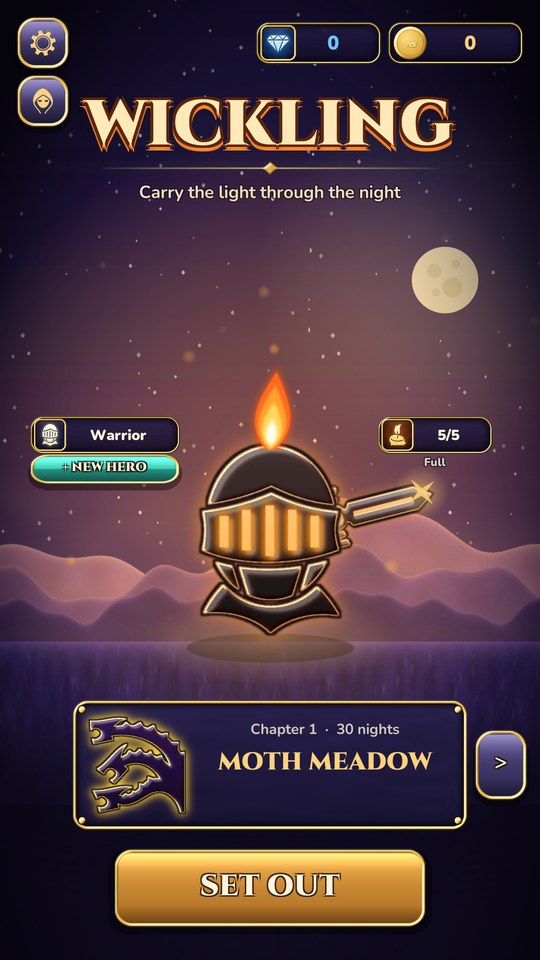
 Wickling
Carry the light through the night.
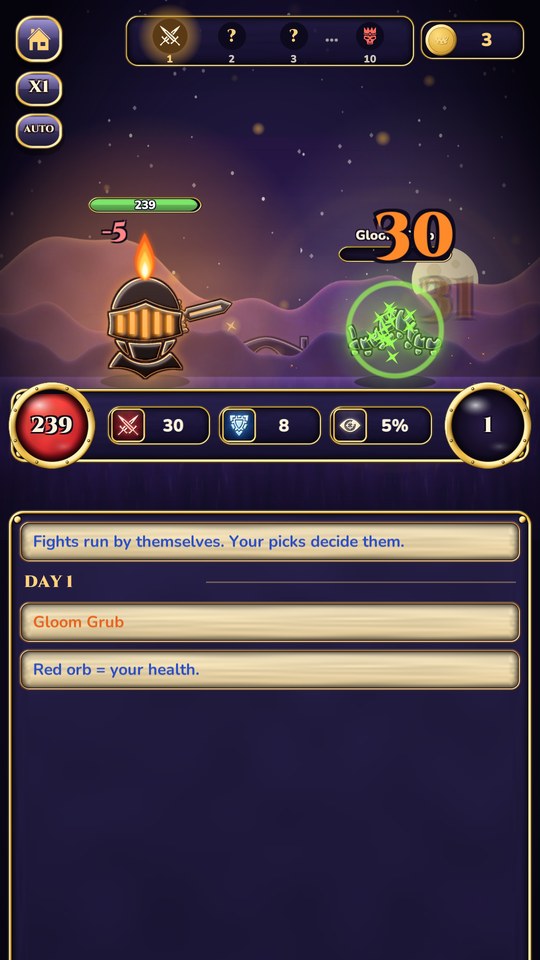
Wickling is a dark-fantasy roguelite told one night at a time: pick one of eight callings and carry the First Flame through three acts, 28 regions and 150 chapters, deciding at every campfire, market and shrine. Fights play out by themselves; what you choose on the road decides them. Then join other Keepers in weekly raids, duel your friends and climb the arena.
How to play
Features
- Eight callings with their own weapons, attacks, boons and path, and a hero of every kind on one account
- Three acts, 28 regions and 150 chapters: cursed regions, two-phase bosses and a story that carries on under a dead sun
- Weekly raids: squads of ten Keepers against one world boss
- Friends, friend duels and daily gifts, plus rewards for inviting a friend
- A weekly arena, the endless Deep, the weekend Boss Hunt and daily trials, each with its own board
- Hundreds of road events, a night market, quests, a weekly festival and road companions
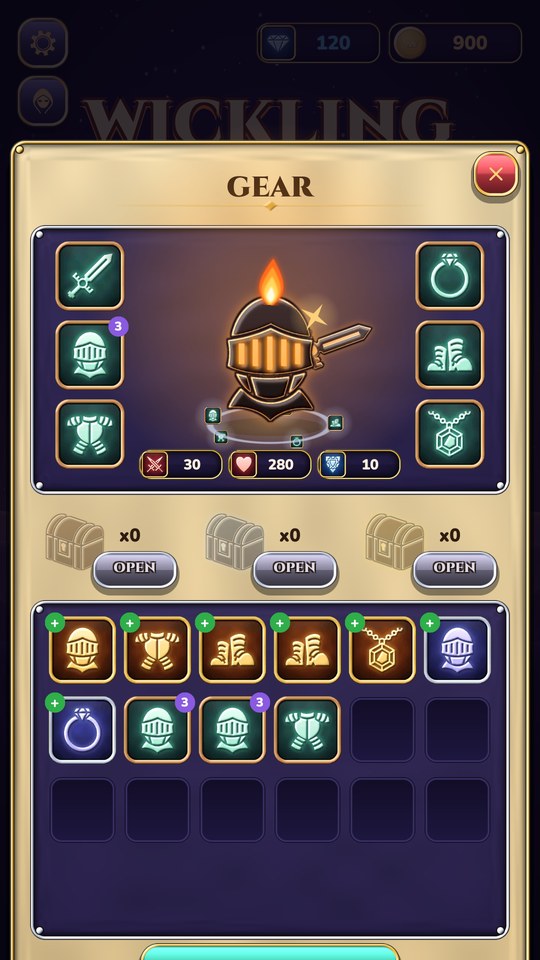
- Gear from common to ancient, relics, weapon awakening and a bag with merge-all
- A daily chest, a campfire that earns while you are away, and cloud save with Google Play Games on Android
- Plays in 14 languages, free with optional ads and purchases
Support
What are wicks?
Each journey burns one wick. Five refill over time, faster in your first three days, and you can earn or buy more. Sparring with a known boss costs nothing. The game can remind you when your wicks are full.
I keep losing to a boss.
Every defeat in a chapter adds Resolve, a lasting bonus for your next try there. Spend coins on talents and your weapon, try another calling, take a road companion, and buy a potion at the market before boss day.
How do I keep my progress on a new phone?
On Android, open Settings and sign in to Google Play Games under Cloud save. Your heroes are saved to your own Google account and come back when you install Wickling on another phone with the same account. Without signing in, progress stays on the device. On iPhone, progress is stored on the device for now.
What are raids?
Open Keepers on the home screen and join a raid: up to ten Keepers share one world boss for the week. Everyone gets two attacks a day, plus one more with an ad. If the squad brings the boss down within three days, each member gets a chest and gems by their share of the damage; empty places are filled by wandering stand-ins.
How do I add a friend?
Every Keeper has an invite code, shown under Invite on the home screen. Enter a friend's code under Keepers → Friends; once they accept, you can duel each other and send one gift a day. A new player who joins with your code and clears chapter 5 earns rewards for both of you.
How do I restore a purchase?
Purchases are tied to your Google Play or Apple account and restore from the Packs tab in the shop.
What is the daily chest?
A new chest opens every day after midnight in your phone's time zone. Every seventh chest is golden, and a missed day never resets the calendar: you carry on where you left off.
What are the weekly boards?
The arena, the Boss Hunt (Friday to Sunday), the Deep and the daily trial each have a board that resets every Monday. Your best score of the week is listed under a nickname, and gems are paid by rank when the week is over. The Lantern Pass is a separate 30-day season of rewards: a free lane for everyone and an optional premium lane.
Can I turn off reminders?
Yes. Wickling only sends reminders (full wicks, daily chest, campfire) if you allow notifications; you can switch them off in your phone's settings at any time.
Are purchases required?
No. Gems, packs and the no-ads option are optional. Rewarded ads are only shown when you choose them, and drop rates for chests are shown in the shop.
Can I delete a hero?
Yes: open Heroes from the title screen and tap the bin on any hero. Gems and looks stay with your account.
How do I change the language?
Settings on the title screen.
Anything else? Write to [email protected]. We answer within a few days.
Join the community on Discord: report bugs, share friend and raid codes, and talk to the team.
Privacy Policy
Wickling · Effective date: 23 October 2026
In short: Wickling has no sign-up of its own and never asks for your name or email. Your heroes and progress stay on your device unless you turn on cloud save, which stores them in your own Google account through Google Play Games. The online features (weekly boards, the arena, raids, friends, duels, gifts and invites) run on Unity Gaming Services under a random player ID and a nickname: your Google Play Games name if you signed in, otherwise "Keeper" and four characters of the ID. Unity Analytics counts, in aggregate, how the game is played. The free game shows ads from Google AdMob and offers optional in-app purchases through Google Play or the App Store; we never see your payment details. The Meta (Facebook) SDK tells Meta that the game was installed and opened, and reports purchases and ad revenue, so we can measure our own ads on Facebook and Instagram; in the EEA, the UK and Switzerland it only runs if you agree in the consent form. These services may use device identifiers as described below. Where the law requires it, you are asked for consent first, and on iOS you can decline tracking.
1. Who we are
Wickling ("the Game") is developed and published under the SolidProd brand by Elizan Media Organizasyon Ltd. Şti., a company registered in Türkiye ("we", "us", "our"). We are the data controller for the processing described here. Contact: [email protected].
2. What we do not collect
The Game has no sign-up of its own. We do not collect your name, email address, phone number, contacts, photos, precise location or payment details. Your heroes, progress and settings are stored on your device and are deleted when you uninstall the Game. On Android you can choose to sign in to Google Play Games; your save is then also kept in your own Google account (see below), and we do not receive a copy. We run no servers of our own: the online features run on Unity Gaming Services, which store only the game data listed below, under a random player ID.
3. Third-party services and the data they process
| Service | Purpose | Data processed |
|---|---|---|
| Google AdMob | Showing and measuring ads (including optional rewarded ads), frequency capping, fraud prevention | Advertising ID (Android Advertising ID; Apple IDFA only if you allow tracking), IP address, device and app information, ad interactions |
| Google User Messaging Platform | Asking for and storing your consent choices | Your consent choices, device and app information, approximate region |
| Google Play Games Services — Android, only if you sign in | Signing in with your Play Games profile and keeping a cloud copy of your save so you can restore it on another device | Play Games player ID and display name, your save file (heroes, items, progress) stored in the app-data area of your Google account, time of last save |
| Google Play Install Referrer — Android | Recognising a friend's invite code when you install the Game from their invite link | The referrer text of the Play Store link (only the invite code) and the install time |
| Google Play Billing / Apple In-App Purchase | Processing optional purchases (gems, packs, deals, cards, funds, passes, no-ads) and restoring them; the receipt is checked on the device to prevent fraud | Purchase token or receipt, product id, purchase time. Your payment method and billing details stay with Google or Apple and are never shared with us. |
| Meta (Facebook) SDK — in the EEA, the UK and Switzerland only if you agree in the consent form | Measuring installs, app opens, purchases and ad revenue that come from our ads on Facebook and Instagram (install attribution and campaign measurement). We do not use Facebook Login. | App install and app open events, game progress events, purchase value and currency, ad revenue, Advertising ID (IDFA on iOS only if you allow tracking), device and app information, IP address |
| Unity Authentication (Unity Gaming Services) | Signing you in anonymously so the online features work | A random player ID and session token; no name, email or password |
| Unity Leaderboards (Unity Gaming Services) | The weekly boards of the arena, the Boss Hunt, the Deep, the daily trial and the festival, and the all-time list of the furthest chapters | Your scores, the random player ID, the nickname shown on the board, your calling and, for the arena, a snapshot of your hero's stats that other players fight against |
| Unity Cloud Code and Cloud Save (Unity Gaming Services) | Raids, friends, friend duels and gifts, invite codes and their rewards, and checking chapter progress before it is listed | Your invite code, nickname, calling, furthest chapter, arena rating, a snapshot of your hero's stats for friend duels, your friends and friend requests, duel wins and losses, gifts sent and received, your raid squad and the damage you dealt, who joined with your code, the number of journeys, the time of your last cleared chapter and when you were last online |
| Unity Remote Config (Unity Gaming Services) | Adjusting game balance and switching features on or off without an update | The random player ID, app version and platform |
| Unity Analytics (Unity Gaming Services) | Understanding, in aggregate, how the game is played: retention, chapter progress, feature use, ad and purchase revenue | Game events, a random installation/player ID, device model, OS version, language, approximate country, session times, purchase receipts (product, price, currency) |
| Unity (game engine) | Running the Game | Limited technical data such as device model and OS. We do not use Unity Ads. |
More information: How Google uses information from apps that use its services · Google Privacy Policy · Firebase privacy · Meta Privacy Policy · Unity privacy.
Unity Analytics receives game events such as journeys started and ended, chapters reached, talent upgrades, rewarded ads watched and the revenue of each ad shown, so we can see where the game is too hard and which features players use. In the EEA, the UK and Switzerland it only runs if you agree in the consent form. You can stop it and have the collected data deleted at any time with Delete analytics data in Settings. Other players can see your nickname, calling and scores on the boards; your friends and raid squad also see your furthest chapter, arena rating and hero strength. Invite and raid codes you post elsewhere, for example on our Discord server, can be read by anyone there. Reminders (full wicks, daily chest, campfire, arena tickets) are scheduled on your device as local notifications; no push service is involved.
4. Consent and your choices
- EEA, UK and Switzerland: before personalised ads, the Game shows a consent form (Google User Messaging Platform). You can accept, reject or choose specific purposes, and change your choice later with the Privacy options button on the title screen. If you reject, you may still see non-personalised ads.
- iOS: the Game asks for permission through Apple's App Tracking Transparency prompt. If you choose "Ask App Not to Track", your IDFA is not shared.
- Android: you can delete or reset your advertising ID, or opt out of ads personalisation, in your device settings (Google → Ads).
- Rewarded ads are optional: ads that give a second chance, extra coins or doubled rewards are only shown when you choose to watch them.
5. Legal bases (GDPR, UK GDPR, KVKK)
We rely on your consent for personalised advertising and, where required, for analytics; on our legitimate interests in keeping the Game working, secure and free of fraud (crash reports, ad fraud prevention, non-personalised ads); and on contract performance for any purchase you make. You can withdraw consent at any time as described above.
6. US state privacy rights (including California)
We do not sell personal information for money. Showing personalised ads through Google AdMob, and measuring our ads with Meta, may be considered "sharing" or "targeted advertising" under some US state laws. You can opt out by deleting your advertising ID or opting out of ads personalisation on Android, or by turning off tracking on iOS. Residents of California and other states with privacy laws may request access to or deletion of their personal information by emailing us; we will not discriminate against you for using these rights.
7. Children
The Game is intended for a general audience and is not directed to children under 13 (or the higher minimum age in your country). We do not knowingly collect personal information from children. If you believe a child has provided personal information, contact us and we will delete it.
8. Retention, transfers and security
We keep no personal data on servers of our own. Your cloud save stays in your Google account until you delete it. Weekly board scores are replaced every week, and the furthest-chapter list keeps your best chapter. Friends, raid and invite data on Unity Gaming Services is kept while the Game is offered, so friends and rewards survive a reinstall, and is deleted on request. Unity Analytics data is kept for up to 13 months and deleted on request; AdMob data is kept according to Google's policies and Meta install data according to Meta's policies. Our providers may process data outside Türkiye and outside your country (for example in the United States); such transfers rely on the providers' standard safeguards, such as Standard Contractual Clauses. Data is transmitted over encrypted connections.
9. Your rights
Depending on where you live, you may have the right to access, correct or delete your personal data, to restrict or object to its processing, to data portability, and to complain to a data protection authority (in Türkiye, the Personal Data Protection Authority — KVKK; in the EU, your local authority). We cannot identify you by name: the online data is tied only to a random player ID. To access or delete it, email us your invite code (shown under Invite in the Game) and we will find it. For anything else, email [email protected] and we will respond within 30 days.
10. App permissions
The Android version requests internet and network-state access (to load ads, use cloud save and the online features), the advertising ID permission and, on Android 13 and later, permission to show notifications, which you can refuse. It does not request access to your location, camera, microphone, contacts or files.
11. Changes to this policy
We may update this policy, for example when we add a new service. The effective date at the top shows the latest version.
12. Contact
Elizan Media Organizasyon Ltd. Şti. (SolidProd), Türkiye · [email protected]
Delete your data
Wickling stores your progress on your device: uninstalling the Game deletes it. To stop analytics and erase what Unity Analytics collected, tap Delete analytics data in Settings. Your friends, raid and invite data and your board entries are kept on Unity Gaming Services under your player ID and invite code: email us your invite code (shown under Invite in the Game) and we will delete them, which also removes you from your friends' lists and from the boards. If you used cloud save, delete the cloud copy in the Google Play Games app (Settings → Delete Play Games account and data, or remove Wickling's data under your games). We hold no account or profile with your name. To reset the advertising identifier used by Google AdMob, use your device settings (Android: Google → Ads → Delete/Reset advertising ID; iOS: Settings → Privacy & Security → Tracking). If you still want us to check for and delete any data linked to your device, email [email protected] from any address; we will confirm within 30 days.
Terms of Use
By downloading or playing Wickling you agree to these terms. The Game is provided by Elizan Media Organizasyon Ltd. Şti. (SolidProd) for your personal, non-commercial entertainment.
Licence
We grant you a personal, non-exclusive, non-transferable, revocable licence to play the Game on devices you own or control. You may not copy, modify, distribute, sell, reverse-engineer or create derivative works of the Game or its content, except where the law allows.
Ads
The Game is free and supported by advertising. Rewarded ads are optional and give in-game help only; they have no monetary value and cannot be exchanged or refunded.
Purchases
The Game offers optional in-app purchases (gems, packs, deals, cards, funds, passes, the festival lane and a no-ads option) through Google Play or the App Store, under their terms. Gems and other virtual items, including raid and invite rewards and gifts from friends, have no monetary value, cannot be transferred or exchanged for money and are used within the Game. Drop rates for chests and summons are shown in the Game before you open them. Refunds are handled by Google or Apple according to their policies. Cards and funds are one-time purchases that pay out over time; they never renew by themselves.
Online features and fair play
Raids, friends, duels, gifts, boards and invites need an internet connection and may change or end. Do not use cheats, modified clients or automated tools, or submit scores the Game did not produce; we may remove such scores, friends or rewards. Keep nicknames and anything you share in our community channels respectful.
Availability and changes
We may update, change or discontinue the Game or parts of it at any time. We try to keep every level solvable and the Game free of bugs, but it is provided "as is" without warranties of any kind to the extent permitted by law.
Liability
To the extent permitted by law, we are not liable for indirect or consequential damages arising from your use of the Game. Nothing in these terms limits liability that cannot be limited by law.
Third-party content
The Game uses icons from game-icons.net by Lorc, Delapouite and contributors (CC BY 3.0), sounds by Kenney (CC0) and fonts under the SIL Open Font License. Google Play Games is a trademark of Google LLC. Trademarks belong to their owners.
Governing law
These terms are governed by the laws of Türkiye; mandatory consumer protections of your country of residence still apply.